
Play Quake 3 on your phone
Yes—Q3JS runs Quake III Arena directly in your phone's web browser. There is no separate mobile app to install; touch controls appear automatically when the game starts.
Choose a server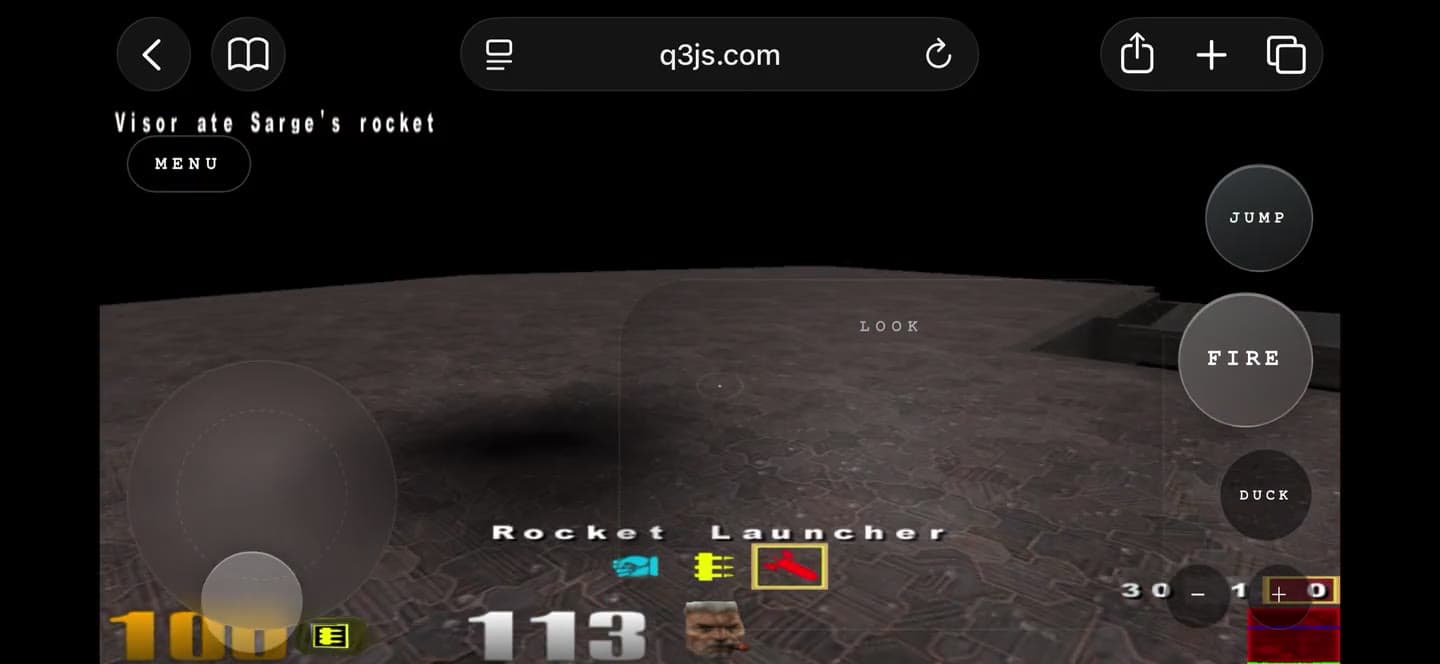
How to play Quake 3 on your phone
- 01
Open Q3JS
Visit q3js.com in your phone's browser. No app download is needed.
- 02
Choose a server
Pick a live Quake III server and enter your player name.
- 03
Rotate and play
Turn the phone to landscape and use the on-screen controls.
Touch control layout
The overlay keeps movement under your left thumb and aiming and combat under your right.
Questions
Can you play Quake 3 on a phone?
Yes. Q3JS runs Quake III Arena in the browser and automatically presents touch controls on compatible touch devices. Turn your phone to landscape, choose a server, and join the match.
Do I need to install a mobile app?
No. Q3JS is browser-based, so there is no app-store download or desktop installer. Open the site in your mobile browser and launch the game from the server list.
What mobile controls are included?
The touch layout includes a movement joystick, drag-to-look aiming, fire, jump, crouch, previous and next weapon, scores, menu, and fullscreen controls when the browser supports fullscreen.
Start a mobile match
Choose a live server, enter your player name, and open the game on your phone.